

Visit the Leantime website
The official site of the Leantime open-source project. Opens in a new tab — hold Ctrl (⌘ on a Mac) or middle-click to keep it in the background.
leantime.ioLeantime is a lightweight, open-source project management platform designed around a specific observation: most people running projects in an organisation are not trained project managers, and tools built for specialists go unused by everybody else.
It covers strategy and goals, an ideas and innovation board, tasks and kanban, milestones, time tracking and retrospectives — in an interface a department head or a business analyst will actually open. Where ZenTao is the right answer for regulated engineering work, Leantime is the right answer for the operational and business projects that otherwise live in spreadsheets and email.
Who it’s for
Teams and departments that need visible project structure without specialist tooling overhead.
- Business departments running projects alongside their day job — operations, HR, marketing, finance
- Small and mid-sized teams for whom a full ALM platform is more structure than the work justifies
- Organisations that want ideas and initiatives captured and triaged rather than lost
- Managers who need a personal work view across several projects rather than one board per project
What we deliver
A project platform people outside IT will use unprompted — configured, populated and trained.
Installation and hardening
Deployment on your servers or VMs, with the database separated and secured to your standards.
Directory integration
LDAP or Active Directory authentication so access follows your existing organisational structure.
Workspace structure
Projects, clients and programmes organised to match how your departments actually group work.
Goals and strategy setup
Objectives and key results connected to the projects meant to deliver them, so strategy and work are visible in one place.
Board and workflow configuration
Kanban swimlanes, task types, statuses and milestone structure configured to your process.
Time tracking
Where you need it — configured for reporting rather than surveillance, which is the distinction that determines whether people use it.
Reporting
Progress, milestone and workload views for management, plus the personal dashboard individuals use day to day.
Training and handover
Short sessions aimed at non-specialists, which is the audience that determines whether the deployment succeeds.
On-premises versus cloud
Every criterion below is one your auditors will ask about. This is why we deploy inside your network by default.
| Criterion | On-premises, on your infrastructure | Public cloud / SaaS |
|---|---|---|
| Security | You control the firewall, the encryption keys, the access policy and the audit trail. | Shared infrastructure and a provider-defined security boundary. |
| Privacy | Data never leaves your network perimeter. | Data is stored and processed on third-party systems under their terms. |
| Autonomy | Full customisation, your upgrade schedule, no vendor lock-in. | Provider-driven roadmap and forced upgrade windows. |
| Integrity | You define backup, retention and recovery, and you test them. | You inherit the provider’s backup policy and their definition of acceptable loss. |
| Continuity | Service survives loss of internet connectivity; it runs on your intranet. | An outage or a commercial dispute at the provider becomes your outage. |
| Cost | Capital cost plus support; no per-seat escalation as headcount grows. | Per-user subscription that grows with your organisation. |
How it connects to the rest of your stack
Nothing we deploy is meant to stand alone. These are the joins we build as part of the same engagement.
- Service desk — Requests too large to handle as a ticket can be promoted into a tracked project.
- Monitoring — Operational work arising from incidents can be made visible against planned work.
- Governance — Where a lightweight tier of your governance model applies, it is configured here — small projects governed proportionately rather than with the full apparatus.
- Requirements-led delivery — Where engineering work needs full traceability, it belongs in ZenTao; Leantime covers everything around it.
Engagement summary
Questions we’re usually asked
Should we run Leantime or ZenTao?
Both, in many organisations. ZenTao for engineering work that must be traceable; Leantime for the operational and business projects around it. If you only need one, the deciding question is whether anyone will ever ask you to prove which change satisfied which requirement.
Will people outside IT really use it?
That is what it is designed for, and it is the main reason we recommend it over heavier tools for this audience. We usually pilot with one department before rolling out, because adoption is the risk here rather than the technology.
Leantime in use

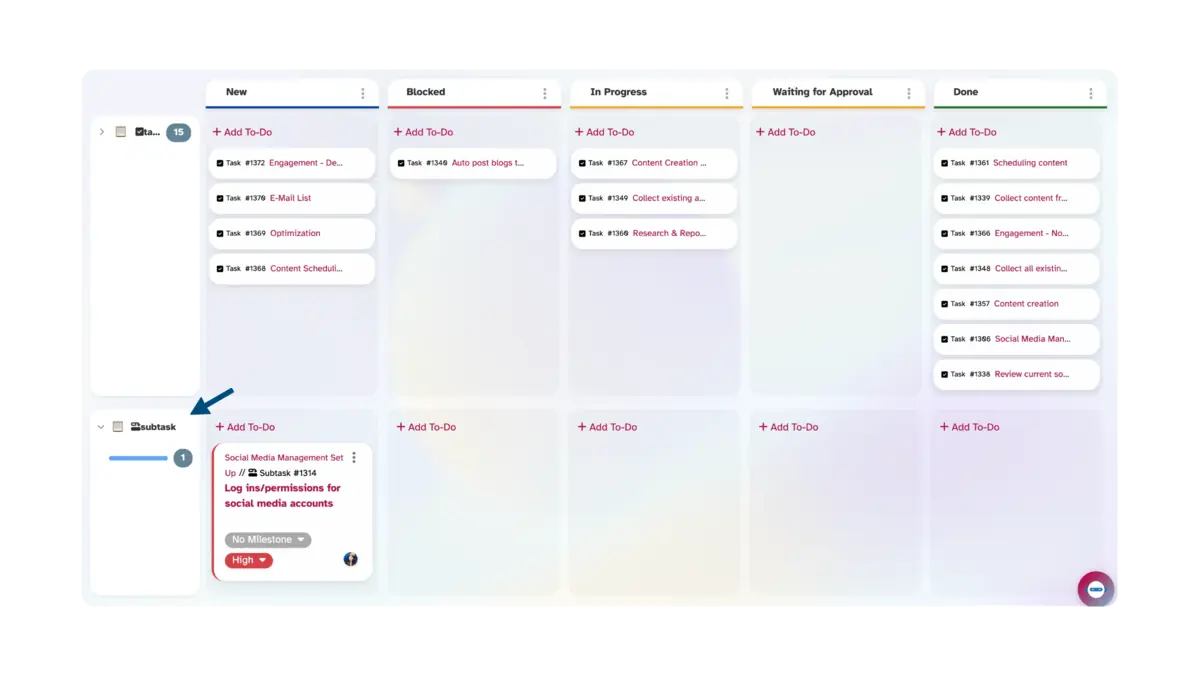
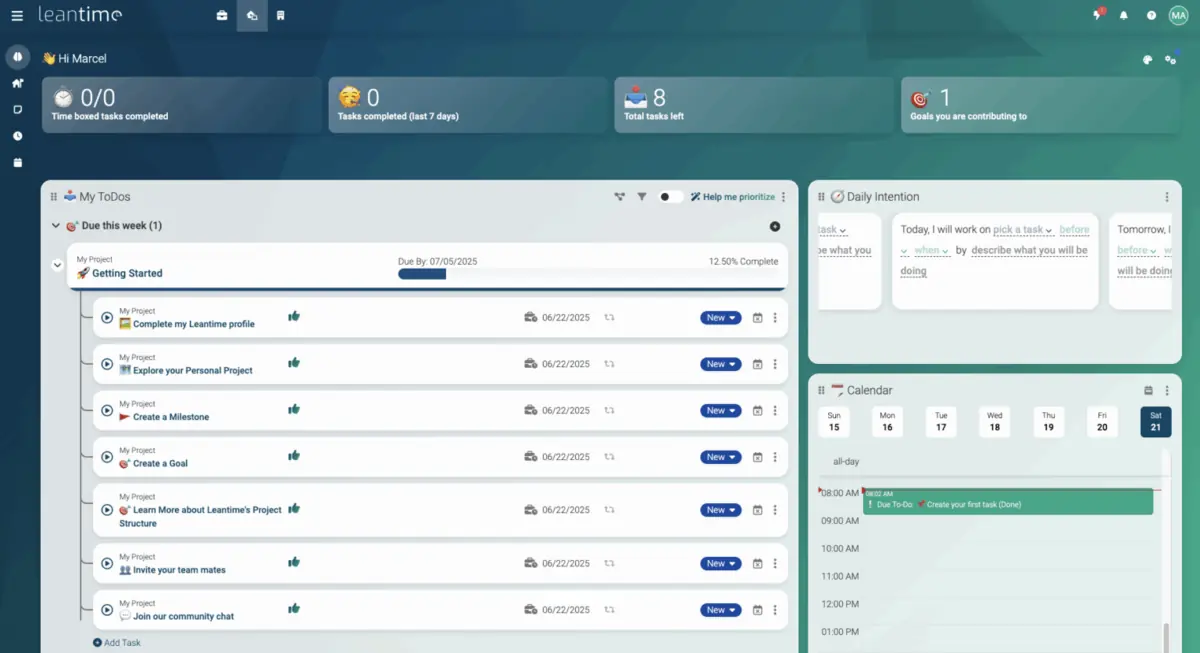
Screenshots from the Leantime project, shown to illustrate the platform we deploy and configure.
Under PRINCE2 governance
If the organisation is not primarily a software-development shop, Leantime is frequently the better answer. It gives you a lightweight PRINCE2 control layer over ordinary work management, without asking business users to learn an engineering platform.
| PRINCE2 | Leantime |
|---|---|
| Business Case, Project Brief, Project Product Description | Goals and project documentation |
| Project Plan | Projects and Gantt planning |
| Stage Plans | Milestones |
| Work Packages and team assignment | Tasks, kanban and team assignments |
| Risk and Issue Registers | Tracked task types and documentation |
| Progress control | Progress views and reporting |
Concretely, a PRINCE2 Stage Plan defines the objective, products, quality criteria, resources, cost, schedule, risks and tolerances. Leantime then carries the work underneath it — milestones for Backend, Frontend and Testing, each with its own tasks — and the stage boundary remains a management decision rather than a status column.
How this compares with the other platforms we deploy, and which one fits which obligation, is on Choosing Between Our Platforms.